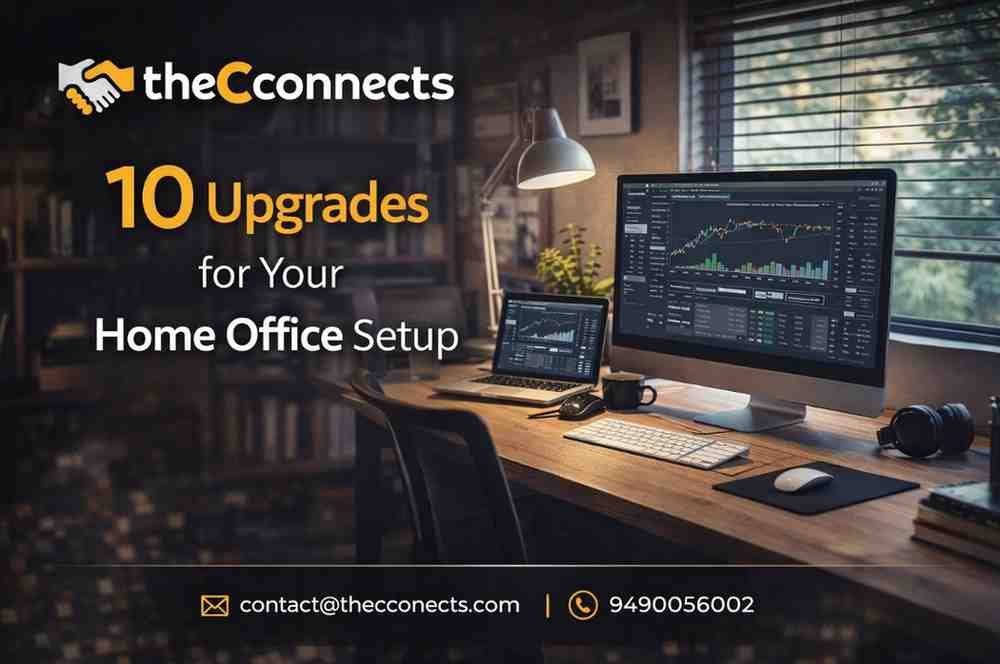

The Evolution of the Remote Work Setup in 2026
In the rapidly evolving professional landscape of 2026, the concept of a home office has transcended its original definition. It is no longer just a spare desk shoved into the corner of a guest bedroom or a laptop resting precariously on a kitchen island. For remote professionals, entrepreneurs, freelancers, business owners, and executives, the home office is the ultimate command center. It is where multi-million-dollar deals are negotiated, innovative software is coded, and strategic corporate decisions are finalized. Because your workspace is the physical foundation of your daily professional life, its design directly influences your cognitive performance, emotional well-being, and long-term career trajectory.
Creating the ultimate remote work setup requires more than just high-speed internet and a functional computer. A meticulously designed workspace is an investment in your physical health and mental clarity. When you spend eight to ten hours a day in a single room, poor office ergonomics can lead to chronic back pain, while inadequate lighting can cause severe eye strain and fatigue. Conversely, a highly optimized environment minimizes digital and physical friction, allowing you to slip into a state of “deep work” faster and sustain it longer.
Furthermore, as hybrid and fully remote work models solidify as the global standard, the boundary between professional and personal life has become increasingly blurred. A well-structured home office setup establishes a psychological boundary: when you enter the space, you are focused and ready to execute; when you leave, you can fully disconnect and recharge. Whether you are building a workspace from scratch or looking for targeted productivity workspace ideas to refine your current layout, intentional design is the key to unlocking your highest potential.
To help you transform your working environment into a powerhouse of efficiency, we have curated a comprehensive list of improvements. Here are 10 practical, high-impact upgrades for your home office setup that will elevate your comfort, boost your daily productivity, and significantly enhance your overall work-life balance.
1. Invest in a High-End Ergonomic Office Chair
Of all the workspace upgrades you can make, none is more critical to your health and longevity than an ergonomic office chair. Many remote workers make the mistake of prioritizing aesthetics over anatomical support, opting for stylish dining chairs or cheap, poorly constructed office seating. Sitting for prolonged periods places immense stress on your lumbar spine, restricts blood flow to your lower extremities, and encourages a hunched posture that can lead to chronic neck and shoulder pain.
A premium ergonomic chair-such as those from Herman Miller, Steelcase, or ErgoTune-is engineered to dynamically support the natural curvature of your spine. When upgrading, look for non-negotiable features: adjustable seat depth to accommodate your leg length, 4D adjustable armrests to keep your shoulders relaxed, and responsive lumbar support that shifts with your movements. While the initial investment may seem steep, the cost is minimal compared to the medical bills and lost productivity associated with severe back injuries. Proper office ergonomics will fundamentally change how you feel at the end of a long workday, leaving you energized rather than physically depleted.
2. Transition to an Electric Sit-Stand Desk
The human body was not designed to remain in a fixed, seated position for eight hours a day. A sedentary lifestyle is linked to a host of metabolic issues, decreased cardiovascular health, and a pervasive afternoon slump in energy levels. Integrating an electric sit-stand desk into your remote work setup is a highly effective way to combat these issues.
A high-quality adjustable height desk allows you to seamlessly transition between sitting and standing with the push of a button. Standing for just 15 to 30 minutes every few hours increases blood circulation, engages your core muscles, and provides a sudden boost of oxygen to the brain, which naturally heightens focus and alertness. When selecting a standing desk, prioritize dual-motor systems for smooth, quiet lifting, and look for programmable memory presets so you can lock in your exact ergonomic heights for both sitting and standing. To maximize this upgrade, pair the desk with an anti-fatigue mat, which provides a cushioned surface that reduces the pressure on your heels and joints while standing.
3. Maximize Screen Real Estate with Dual Monitors or an Ultrawide Display
Attempting to manage a modern digital workflow on a single 13-inch laptop screen is a recipe for immense frustration. Constantly minimizing and maximizing windows, searching for buried tabs, and straining to read small text disrupts your focus and wastes valuable time. Expanding your digital canvas is one of the most effective productivity workspace ideas you can implement.
You have two primary options for this upgrade: a dual-monitor setup or a single curved ultrawide display. Dual monitors are excellent for compartmentalizing tasks-for example, keeping your email or Slack communications open on a vertical screen while dedicating your primary horizontal screen to deep-focus work like coding, writing, or video editing. Alternatively, a 34-inch or 49-inch ultrawide monitor eliminates the annoying plastic bezel in the middle of your field of view, providing a massive, uninterrupted canvas that is perfect for massive spreadsheets or expansive creative timelines. Whichever route you choose, mount the screens on heavy-duty, adjustable monitor arms. This not only allows you to position the screens at the exact ergonomic eye level to prevent neck strain but also frees up massive amounts of physical space on your desktop.
4. Optimize Your Lighting for Eye Comfort and Video Calls
Lighting profoundly impacts both your biological rhythms and your professional presentation. Working in a dimly lit room or relying solely on harsh overhead fluorescent bulbs can trigger migraines, accelerate eye fatigue, and completely disrupt your circadian rhythm, making it harder to sleep at night.
A sophisticated home office setup utilizes layered lighting. First, maximize natural light by positioning your desk near a window, which boosts serotonin and keeps you alert. Second, implement task lighting, such as a high-quality, adjustable LED desk lamp to illuminate physical documents or notebooks. Third, consider bias lighting-placing an LED light strip behind your monitors. This creates a soft glow on the wall behind your screens, significantly reducing the harsh contrast between the bright monitor and the dark room, which minimizes eye strain. Finally, if you are an executive or business owner frequently leading virtual meetings, invest in a dedicated key light or ring light positioned behind your webcam. This ensures you are evenly lit, eliminating unprofessional shadows and projecting a polished, authoritative presence on camera.
5. Upgrade Your Internet Infrastructure and Mesh Wi-Fi
In the digital economy, your internet connection is your professional lifeline. Dropped Zoom calls, lagging cloud software, and excruciatingly slow file uploads are not just annoying; they damage your credibility and severely hamper your efficiency. Many remote professionals unknowingly bottleneck their own productivity by relying on the cheap, outdated router provided by their Internet Service Provider (ISP).
Upgrading your network infrastructure is a non-negotiable workspace upgrade. If your home office is located far from your main router, invest in a modern Mesh Wi-Fi system (such as Wi-Fi 6E or Wi-Fi 7). Mesh systems use multiple broadcasting nodes placed strategically around your home to eliminate dead zones and deliver blazing-fast, stable wireless speeds to your office. However, for the absolute highest reliability-especially for day traders, video editors, or executives hosting massive webinars-nothing beats a hardwired connection. Run a high-speed Cat6 or Cat8 ethernet cable directly from your router to your computer. A hardwired connection provides lower latency, zero signal interference, and guaranteed maximum bandwidth, ensuring your workflow is never interrupted by a network drop.
6. Implement Acoustic Treatments and Noise Control
Focus is the currency of the remote worker, but the modern home is filled with distractions-from barking dogs and landscaping equipment to the general hum of household activity. Constant auditory interruptions shatter your concentration, pulling you out of your “flow state” and forcing your brain to expend massive amounts of energy just to refocus on the task at hand.
Taking control of your acoustic environment is crucial. The first line of defense is a premium pair of Active Noise-Canceling (ANC) headphones or earbuds. High-end models from brands like Sony, Apple, or Bose use external microphones to read ambient noise and project an inverse sound wave to cancel it out, wrapping you in a cocoon of silence. If you prefer not to wear headphones all day, you must treat the room itself. Hard surfaces like bare walls and hardwood floors reflect sound waves, creating a harsh, echoing environment. Add soft, sound-absorbing materials to your office: lay down a thick area rug, hang heavy acoustic curtains over the windows, and mount stylish acoustic foam panels or felt tiles on the walls. These materials deaden the reverberation in the room, making it much easier to concentrate and significantly improving the audio quality of your voice during virtual meetings.
7. Master Desk Aesthetics with Advanced Cable Management
There is a profound psychological connection between your physical environment and your mental state. A desk covered in a chaotic, tangled web of power cords, USB cables, and charging wires creates visual noise. This visual clutter subconsciously elevates stress levels and makes the workspace feel disorganized and overwhelming. A clean, minimalist desk, on the other hand, promotes a calm, ordered, and highly focused mind.
Implementing an advanced cable management system is one of the most satisfying home office setup upgrades you can perform. Start by mounting a heavy-duty cable management tray underneath your desk. Route all your power strips, bulky laptop chargers, and monitor cables into this tray so they are completely hidden from view. Use reusable velcro ties to bundle loose cables together, and run them down the leg of your desk using a flexible cable sleeve or a magnetic cable spine. Finally, transition to wireless peripherals wherever possible. A high-quality wireless mechanical keyboard and a wireless ergonomic mouse eliminate two of the most intrusive cables on your desktop, leaving you with a clean, distraction-free surface to execute your work.
8. Elevate Your Professionalism with a High-Quality Webcam and Microphone
In a remote work setup, your digital avatar is the only way your clients, colleagues, and employees interact with you. Relying on the grainy, low-resolution webcam and the tinny, echoing microphone built into your laptop does a massive disservice to your professional brand. Poor audio and video quality make you seem distant, unprofessional, and difficult to understand, which can severely hinder your ability to communicate effectively and build rapport.
To establish a commanding executive presence, upgrade your audio-visual hardware. Ditch the integrated camera for an external 4K webcam, or better yet, use a mirrorless DSLR camera paired with a capture card for a stunning, broadcast-quality image with a beautifully blurred background. For audio, the upgrade is even more critical-people will forgive slightly soft video, but they will not tolerate terrible audio. Invest in a dedicated USB dynamic or condenser microphone mounted on a boom arm. Position the microphone close to your mouth to capture the rich, full resonance of your voice while rejecting background room noise. This upgrade ensures that when you speak in a virtual boardroom, your ideas are heard with crystal-clear authority.
9. Optimize Workspace Organization and Storage
A highly productive home office is built on the principle of “a place for everything, and everything in its place.” When you have to spend ten minutes searching for a specific notebook, a flash drive, or a physical document, you break your momentum. Furthermore, allowing non-essential items like coffee mugs, mail, or children’s toys to accumulate on your desk slowly encroaches on your working real estate.
To upgrade your workspace organization, you must be intentional about storage. Keep the surface of your desk strictly reserved for your absolute daily essentials: your computer, your peripherals, and perhaps a single notebook. For everything else, utilize vertical space and concealed storage. Install floating shelves above your desk for reference books and decorative items. Use a rolling filing cabinet tucked under your desk to hide away physical documents and office supplies. Many modern remote professionals also utilize modular pegboards mounted on the wall; these allow you to hang headphones, scissors, tablets, and cables in a highly visible but completely out-of-the-way configuration, keeping your primary work surface immaculate and ready for action.
10. Enhance Well-being with Biophilic Design and Air Quality Improvements
The final, and often most overlooked, upgrade to your home office setup involves the air you breathe and the biological environment you inhabit. Indoor air can quickly become stale, building up high levels of carbon dioxide (CO2) when the door and windows are closed for hours. High CO2 levels directly cause drowsiness, brain fog, and a sharp decline in cognitive decision-making abilities.
To combat this, integrate an air quality monitor and a high-efficiency HEPA air purifier into your office. The purifier will silently scrub the air of dust, allergens, and pollutants, keeping your lungs clear and your mind sharp. Beyond the air itself, embrace “biophilic design”-the concept of integrating natural elements into the built environment. Bring nature indoors by adding several low-maintenance, air-purifying houseplants to your office, such as Snake Plants, Pothos, or ZZ Plants. The presence of greenery has been scientifically proven to lower blood pressure, reduce cortisol (stress) levels, and increase overall workplace happiness. Adding natural wood textures, maximizing your view of the outdoors, and keeping the air clean will transform your office from a sterile corporate box into a vibrant, life-affirming sanctuary of productivity.
Conclusion
Building the ultimate home office setup is not a luxury; in the modern era of remote work, it is a fundamental requirement for professional excellence. The environment you construct around yourself directly dictates the quality of the work you produce. By systematically implementing these 10 workspace upgrades, you move beyond the limitations of a makeshift desk.
Investing in office ergonomics protects your long-term physical health, while upgrading your technology-from your internet infrastructure to your dual monitors and A/V equipment-removes the daily digital friction that drains your energy. Furthermore, taking control of your lighting, acoustics, and air quality ensures that your brain remains optimized and focused throughout the entire workday. Whether you implement all of these productivity workspace ideas at once or upgrade your office piece by piece, every improvement is a direct investment in your efficiency, your career trajectory, and your overall work-life balance.
📞 Contact Us for More Workspace & Productivity Insights
If you would like to stay updated with the latest workspace and productivity trends or, to share updated information about this particular article, or contribute and publish an article on this platform or any other platforms, please feel free to reach out to us:
📩 Email: contact@thecconnects.com
📞 Call: +91 91331 10730
💬 WhatsApp: https://wa.me/919133110730