
Graphic design has always been a discipline shaped by its tools. The shift from physical media to desktop software was a generational transition. The move from desktop to cloud collaboration was another. The integration of AI into design workflows is happening faster than either of those transitions, and with implications that are simultaneously more complex and more immediately practical.
In 2026, AI design tools are no longer speculative technology being evaluated in isolated design labs. They are active components of production workflows at agencies, in-house creative teams, and solo practices worldwide. The designers and creative leaders who have adopted them thoughtfully report meaningful improvements in concept speed, iteration velocity, and the time available for the genuinely human creative decisions that differentiate excellent design from adequate design.
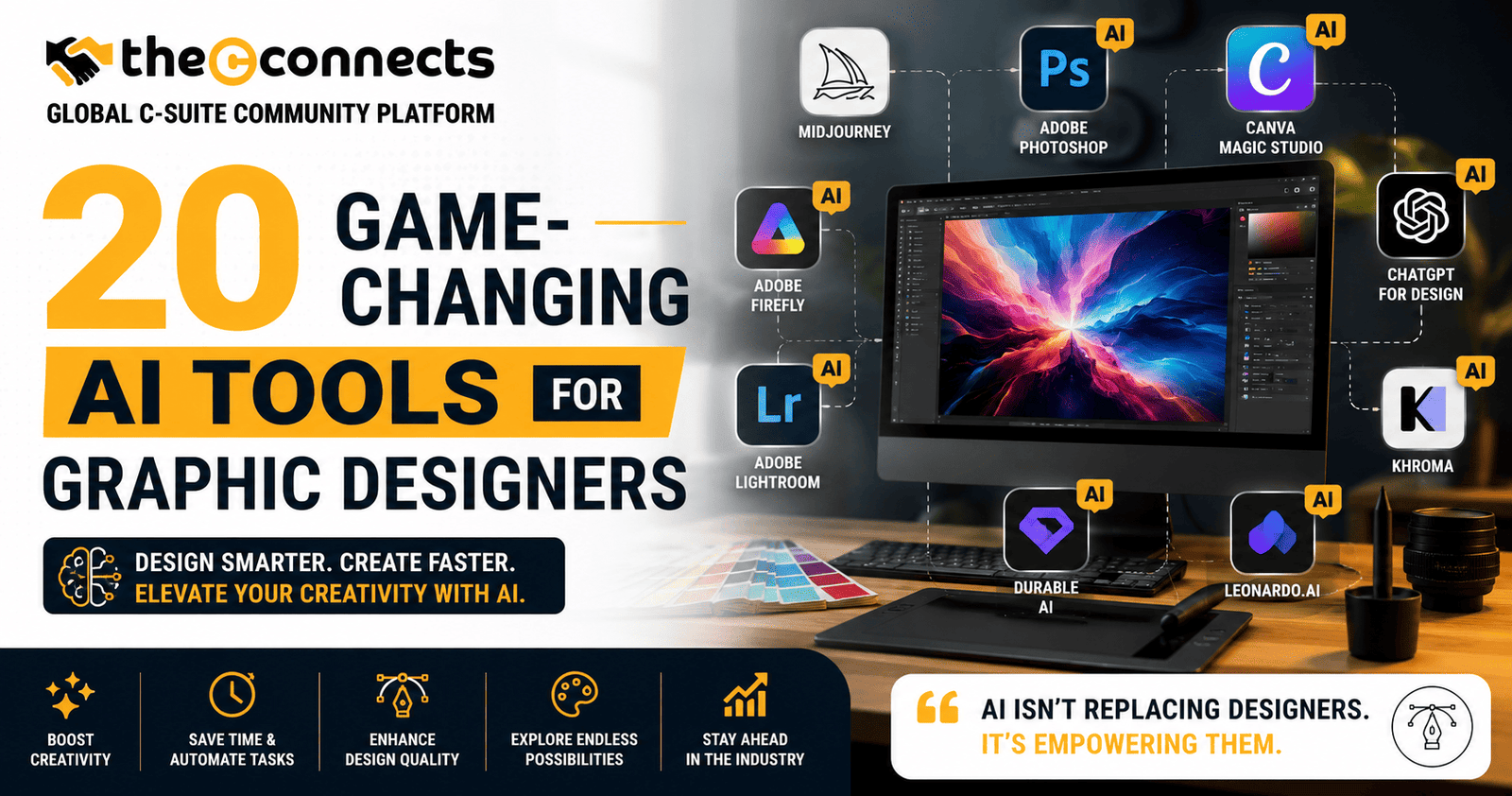
The 20 game-changing AI tools for graphic designers reviewed in this guide represent the current landscape of AI-assisted design capability, evaluated against criteria that matter for professional and commercial creative work.
1. Adobe Firefly, Commercially Safe Generative AI Within Adobe’s Ecosystem
What it is: Adobe Firefly is Adobe’s family of generative AI models integrated across Creative Cloud applications, Photoshop, Illustrator, and Express, enabling text-to-image generation, Generative Fill, Generative Expand, and text effect generation.
Why it matters: Adobe’s explicit commitment to training Firefly on licensed and public domain content addresses one of the most significant commercial-use concerns in generative AI. For designers producing client work, this licensing approach is a meaningful differentiator.
Key feature to check: Generative Fill in Photoshop, which extends or modifies images non-destructively, has become one of the most practically useful AI features in professional design workflows.
Caution: Commercial-use terms, content credentials, and generative credits vary by Creative Cloud plan. Verify current terms at adobe.com/firefly.
Use case: A marketing creative director uses Generative Fill to extend a campaign photograph to multiple aspect ratios for social, OOH, and display placements, reducing retouching and photography time significantly.
2. Midjourney, High-Fidelity Image Generation for Concept Development
What it is: Midjourney is a text-to-image generative AI system accessible primarily through Discord, producing some of the most aesthetically refined image outputs currently available in the AI image generation category.
Why it matters: For visual concept development, mood boarding, and initial direction exploration, Midjourney’s output quality is consistently impressive and has been adopted by creative directors at major agencies as a concept development tool.
Caution: Commercial-use licensing terms vary by subscription plan and have evolved since launch. Verify current commercial-use policies at midjourney.com before using outputs in commercial projects.
Use case: A brand consultant uses Midjourney to generate ten visual direction concepts for a new product launch, presenting the outputs to the client for direction selection before any production design work begins.
3. Canva AI, Accessible AI-Powered Design for Teams
What it is: Canva has integrated multiple AI capabilities across its platform, including Magic Design, Magic Write, text-to-image generation, and background removal, accessible within Canva’s template-first design environment.
Why it matters: For marketing teams, small businesses, and non-designer collaborators, Canva AI significantly lowers the skill threshold for producing consistent, on-brand creative assets.
Key feature: Magic Design, which generates layout suggestions from uploaded assets, is particularly useful for teams that need to produce large volumes of consistent branded content efficiently.
Caution: AI output quality varies by use case. For complex brand applications, human designer review and refinement is essential. Verify current AI feature availability at canva.com.
4. Figma with AI Features, Collaborative Design with Intelligent Assistance
What it is: Figma has progressively integrated AI capabilities across its collaborative design platform, including AI-powered design suggestions, auto-layout assistance, and component organization features through its growing plugin ecosystem.
Why it matters: For product and UX design teams working in Figma, AI features that accelerate layout decisions, accessibility checking, and component management directly reduce the mechanical overhead of design production.
Caution: Figma’s AI features and their availability by plan are evolving. Verify current features and pricing at figma.com before planning workflow integration.
5. Stable Diffusion (via Automatic1111 or ComfyUI), Open-Source Generative Power for Advanced Users
What it is: Stable Diffusion is an open-source text-to-image model that designers can run locally or through third-party hosted interfaces, providing significant creative control through custom models, LoRAs, and workflow nodes.
Why it matters: For designers who need maximum control over generative outputs, fine-tuned to specific brand aesthetics, illustration styles, or technical requirements, locally run Stable Diffusion provides flexibility that hosted generative tools do not.
Caution: Local deployment requires technical setup capability. Commercial-use rights depend on the specific model weights used. Always verify the license of any model used in commercial work.
6. DALL-E 3 via ChatGPT, Prompt-Responsive Image Generation
What it is: OpenAI’s DALL-E 3, accessible through ChatGPT Plus and the OpenAI API, generates images from detailed text descriptions with strong prompt-to-output fidelity.
Why it matters: DALL-E 3’s conversational integration with ChatGPT allows designers to iterate on image descriptions through dialogue, a workflow that is more accessible than technical prompt engineering for many creative professionals.
Caution: Commercial-use terms and API pricing are defined in OpenAI’s usage policies. Verify current policies at openai.com before commercial deployment.
7. Runway, AI Video and Motion for Creative Teams
What it is: Runway is an AI creative platform offering text-to-video generation, video editing, green screen removal, image generation, and motion effects, with a focus on creative production rather than purely technical AI application.
Why it matters: As motion design and video content have become standard components of brand creative, Runway’s AI-accelerated video production capabilities are increasingly relevant to graphic designers expanding their services into motion.
Caution: Video generation outputs require creative direction and editing to meet professional production standards. Verify current pricing, output resolution, and commercial terms at runwayml.com.
8. Khroma, AI-Powered Colour Palette Generation
What it is: Khroma is an AI tool specifically designed for colour discovery, learning from a designer’s aesthetic preferences to generate personalized colour palettes for design projects.
Why it matters: Colour selection is both highly personal and highly consequential in brand design. Khroma’s preference-learning approach generates palettes that align with a designer’s established aesthetic sensibility rather than generic colour wheel suggestions.
Use case: A brand designer uses Khroma to generate palette options consistent with a client’s existing brand personality before presenting refined options for selection and application.
9. Looka, AI-Driven Brand Identity Generation
What it is: Looka is an AI brand identity platform that generates logo concepts, color palettes, font pairings, and brand kit assets from basic business information inputs.
Why it matters: For early-stage startups and small businesses that need functional brand identity quickly, Looka provides a structured starting point that can be refined by a professional designer.
Caution: AI-generated logos require thorough trademark clearance before commercial use. Verify current licensing terms at looka.com and consult appropriate legal counsel for trademark questions.
10. Uizard, AI Wireframing and Prototype Generation
What it is: Uizard converts rough sketches, screenshots, or text descriptions into wireframes and interactive prototypes, accelerating the early-stage design process for digital product teams.
Why it matters: For UX designers and product teams, the ability to rapidly convert conceptual input into testable wireframes directly reduces the time from ideation to user testing.
11. Remove.bg, Automated Background Removal
What it is: Remove.bg is a specialized AI tool that automatically removes image backgrounds, producing clean cutouts with minimal manual editing for most common photography types.
Why it matters: Background removal is one of the most time-consuming repetitive tasks in commercial product photography and marketing creative production. Remove.bg’s automation handles the majority of standard cases in seconds.
Caution: Complex backgrounds, fine hair, and translucent elements may require manual refinement. Verify current API pricing and usage limits at remove.bg.
12. Photoroom, AI Image Editing and Product Photography Enhancement
What it is: Photoroom offers AI-powered background removal, background generation, and product photography enhancement, producing studio-quality product visuals from standard photography.
Why it matters: For e-commerce brands and marketing teams producing high volumes of product content, Photoroom’s AI-assisted enhancement reduces photography production costs significantly.
13. Pika, AI Video Generation for Social Content
What it is: Pika Labs is an AI video generation platform producing short-form video content from text prompts or still images, targeting social media and marketing content production.
Why it matters: Short-form video content demand has created production volume challenges for creative teams. Pika’s AI generation capabilities provide a rapid prototyping tool for social video concepts.
Caution: AI video generation quality is advancing rapidly but still requires human creative direction and quality review. Verify current features and commercial terms at pika.art.
14. Spline AI, 3D Design with AI Assistance
What it is: Spline is a browser-based 3D design tool that has integrated AI features enabling text-to-3D generation and AI-assisted 3D object creation, making 3D design more accessible to non-specialist designers.
Why it matters: As 3D elements have become standard in premium brand and digital design, tools that lower the 3D creation barrier allow 2D designers to expand their capability without full 3D software learning curves.
15. Vizcom, AI-Powered Concept Sketch to Render
What it is: Vizcom converts rough design sketches into photorealistic product renders, accelerating the industrial and product design concept development process.
Why it matters: For product designers, furniture designers, and industrial designers, Vizcom’s sketch-to-render pipeline reduces the time from hand-drawn concept to client-presentable visual significantly.
16. Vectorizer.AI, Raster to Vector Conversion
What it is: Vectorizer.AI converts raster images to vector graphics using AI-powered tracing, producing high-quality SVG and vector outputs from photographs and illustrations.
Why it matters: Vector conversion is a frequent requirement in brand design workflows, particularly for logo reproduction, signage, and print applications. AI-powered conversion significantly outperforms traditional algorithmic tracing for complex imagery.
17. Cleanup.pictures, AI-Powered Object Removal
What it is: Cleanup.pictures allows designers to remove unwanted elements from photographs, objects, people, text, watermarks, using AI-generated inpainting.
Why it matters: Object removal and scene cleanup is a common image retouching requirement. AI-powered inpainting reduces the manual Photoshop work for straightforward removal tasks significantly.
18. Fontjoy, AI Font Pairing Tool
What it is: Fontjoy uses machine learning to generate harmonious font pairings, providing a starting point for typography selection that balances contrast and visual compatibility.
Why it matters: Typography selection is both technically complex and aesthetically consequential. Fontjoy’s AI-assisted pairing suggestions provide a structured starting point for typographic decisions rather than requiring designers to evaluate combinations manually.
19. Designs.ai, AI-Powered Design Suite for Marketing Teams
What it is: Designs.ai offers an integrated suite of AI-powered design tools, logo maker, video maker, social media template creator, and speech generator, targeting marketing teams and small agencies.
Why it matters: For marketing teams without dedicated designers producing consistent volumes of social and digital content, Designs.ai provides an integrated toolkit that reduces external creative dependency.
Caution: AI-generated brand assets require design professional review for use in significant commercial applications. Verify current features and licensing at designs.ai.
20. Leonardo.ai, AI Image Generation for Creative Production
What it is: Leonardo.ai is a generative AI image platform offering text-to-image generation, image-to-image transformation, and fine-tuning capabilities, with a specific focus on creative production workflows including game asset development, character design, and marketing imagery.
Why it matters: Leonardo. Ai’s fine-tuning capabilities allow designers to train custom models on brand-specific visual styles, enabling more consistent, brand-aligned generative outputs than generic models provide.
Caution: Commercial-use terms and training data policies should be verified on the official site. As with all generative AI tools, outputs should be reviewed for quality and appropriateness before use in client work.
Conclusion:
The 20 game-changing AI tools for graphic designers covered in this guide collectively represent the current state of AI-assisted design capability, tools that, used thoughtfully and strategically, can meaningfully improve the quality, speed, and scale of professional creative work.
The designers who benefit most from these tools are not those who use AI to replace creative thinking, they are those who use it to do more of the creative thinking that matters. The work of directing, curating, refining, and strategically applying AI outputs is genuinely creative work, and it is work that human designers are uniquely positioned to do well.
Adopt strategically. Verify licensing diligently. And keep the creative direction firmly in human hands.
Contact TheCconnects
If you are a graphic designer, creative director, AI design specialist, branding expert, motion designer, or digital artist with insights on AI-powered creativity, design workflows, generative tools, branding innovation, or the future of visual design, TheCconnects welcomes your expertise and creative perspective.
And if you would like to publish your article, creative insights, AI design case studies, branding expertise, or thought leadership content on this platform or any other leading media platform, please feel free to reach out to us.
📧 Email: contact@thecconnects.com
📞 Phone: +91 91331 10730
💬 WhatsApp: https://wa.me/919133110730